

What Are Speakers?
Vozo automatically assigns speaker tags (e.g., Speaker 1, Speaker 2) based on voice characteristics. These tags help distinguish each person’s lines for translation, dubbing, and voice cloning.
How Speakers Are Detected
Vozo automatically identifies different voice timbres to distinguish between speakers. While detection is automatic, you can manually correct tags if needed.When to Manually Correct Speakers
Update or adjust speaker tags in these cases:- Speaker identification errors, such as one speaker being identified as another, one speaker being split into multiple, or multiple speakers being merged into one.
- A speaker’s voice varies dramatically in emotion (e.g., calm vs. angry). For lines with a distinct emotional tone, create a new speaker to help Vozo generate a more appropriate cloned voice.
How to Add or Edit Speakers
1
Click the Speaker Tag
For the segment you want to fix, click the current speaker tag.
2
Select or Create Speaker
Choose the correct speaker from the dropdown, or click New Speaker to add a new one.
3
Update Dubbing
Once all corrections are made, click Generate Speech in the top right corner to apply the changes. A new cloned voice will be created for any newly added speakers.
Simultaneous Speech
If multiple speakers say the same line at the same time, you can assign them to a single segment so their voices are dubbed as an overlapping mix. See Simultaneous Speech for details.Tips for Managing Speakers
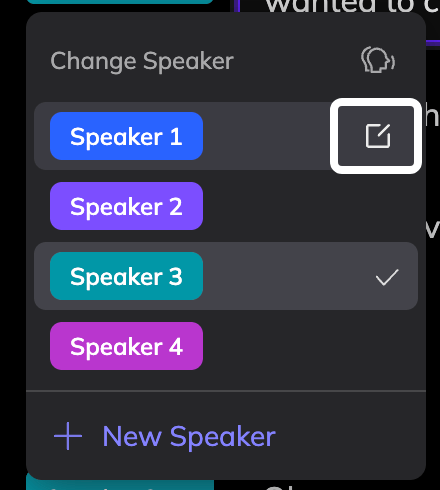
- Rename Speakers: In the Change Speaker dropdown, click the edit icon next to a speaker to rename it (e.g., “Host”, “Narrator”, “Guest”). Renaming makes the speakers in your project easier to identify at a glance.
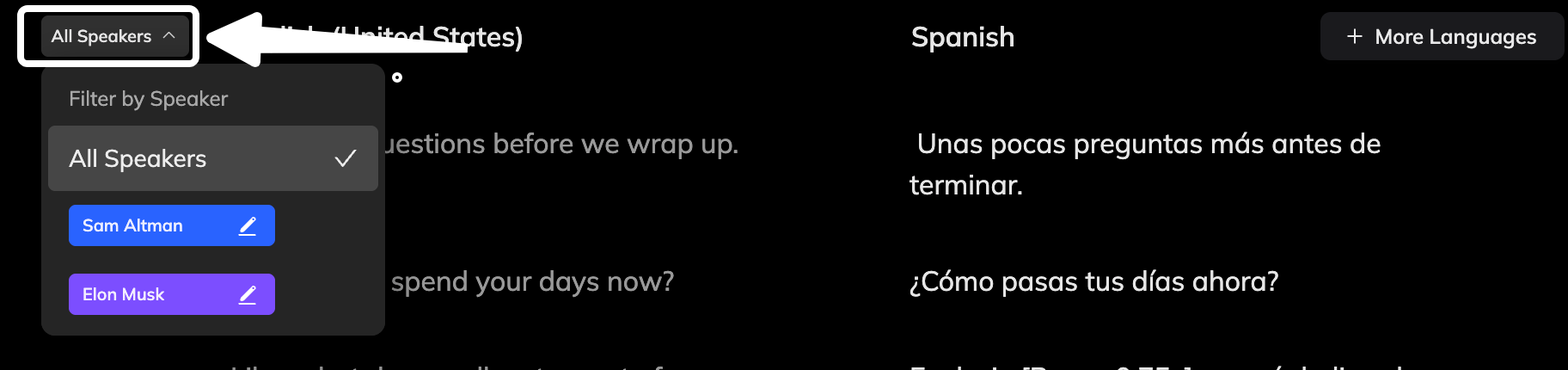
- Filter Speaker: Use the Filter tool at the top-left of the Speech section to isolate all segments from a specific speaker for batch preview or editing.
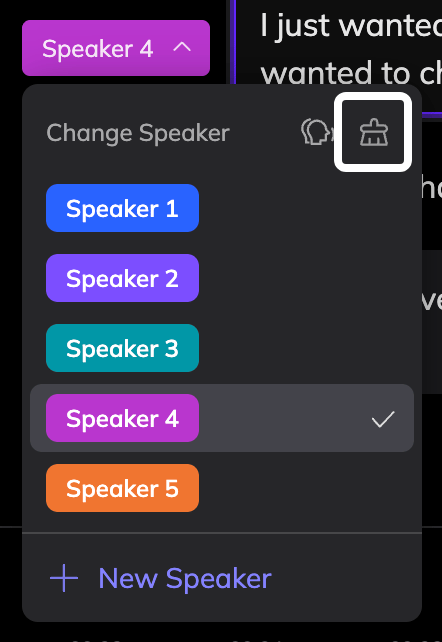
- Clear Speakers: Click the Clear Speaker icon in the top-right corner of the Change Speaker dropdown to remove any speakers that are no longer assigned to any segment. This is useful after extensive editing to keep the speaker list clean.
FAQ
What if the cloned voice sounds wrong?
What if the cloned voice sounds wrong?
Double-check that the speaker tags are correct. If everything looks good but the voice still feels off, you can use the Reclone Voice feature to generate a better result.
Can I reuse a speaker across projects?
Can I reuse a speaker across projects?
Currently, speaker tags are project-specific, meaning each project detects and assigns speakers independently.
However, if you’ve cloned a voice for a speaker, you can save it to your Library and reuse it in other projects for consistent audio performance.
However, if you’ve cloned a voice for a speaker, you can save it to your Library and reuse it in other projects for consistent audio performance.